

Descripción
TW Simple Slider is an easy-to-use WordPress plugin that allows you to create beautiful image sliders without any coding knowledge. Simply add your images, choose a slider style, and display it anywhere on your site using a shortcode.
Key Features
- Simple Interface – Just add images and select slider type
- Multiple Slider Styles – Basic, Fade, and Infinite Scroll
- Drag & Drop – Easily reorder images by dragging
- Responsive Design – Works perfectly on all devices
- Shortcode Support – Display sliders anywhere using [tw_slider id="123″]
- Lightweight – All resources included locally
- No Coding Required – User-friendly admin interface
How to Use
Creating Your First Slider
- Go to Sliders Add New in WordPress admin
- Enter a title for your slider (e.g., "Homepage Slider")
- Click Add Images button to upload/select images
- Drag and drop images to reorder them
- Select your preferred slider settings from the sidebar
- Click Publish
- Copy the shortcode displayed in the sidebar
- Paste the shortcode in any post, page, or widget
Displaying Sliders
Using Shortcode:
[tw_slider id="123″] – Replace 123 with your slider ID
In Posts/Pages:
Simply paste the shortcode in the content editor
In Widgets:
Use the Text widget and paste the shortcode
License
This plugin is licensed under the GPL-2.0+ License. You can freely use, modify, and distribute it under the terms of this license. See the full license at: https://opensource.org/licenses/GPL-2.0
Capturas
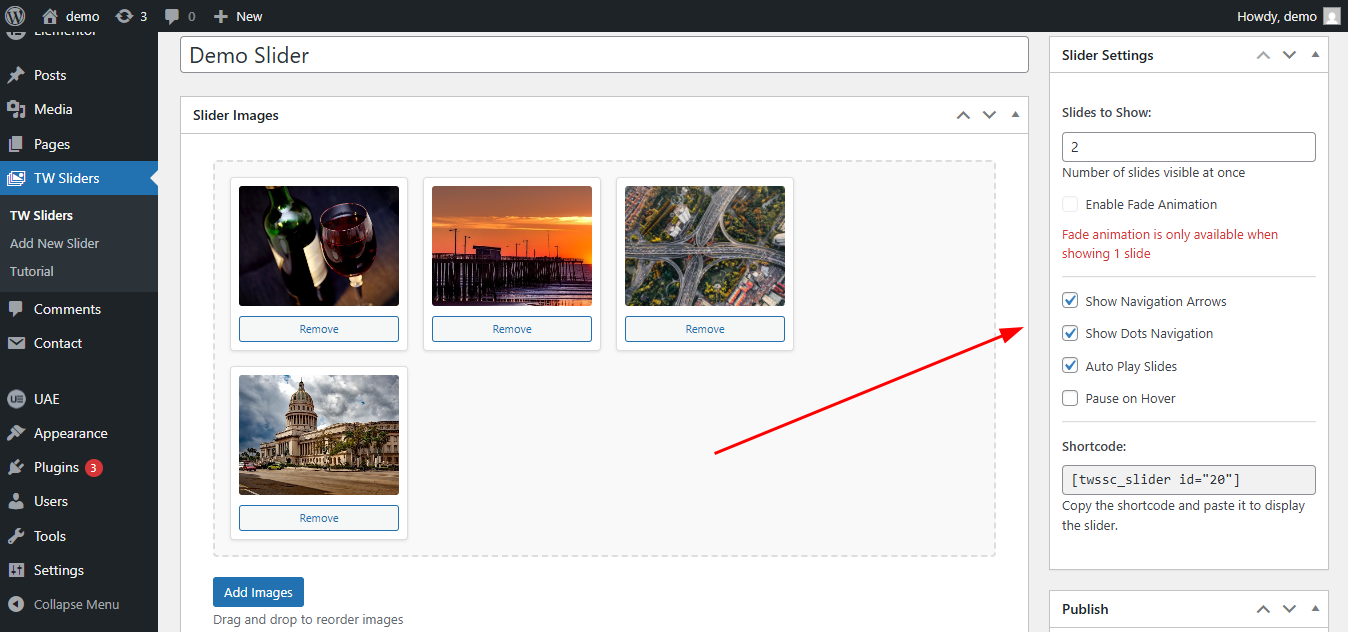
Screenshot 1: Slider Setting – Adding images and choosing between different slider options. 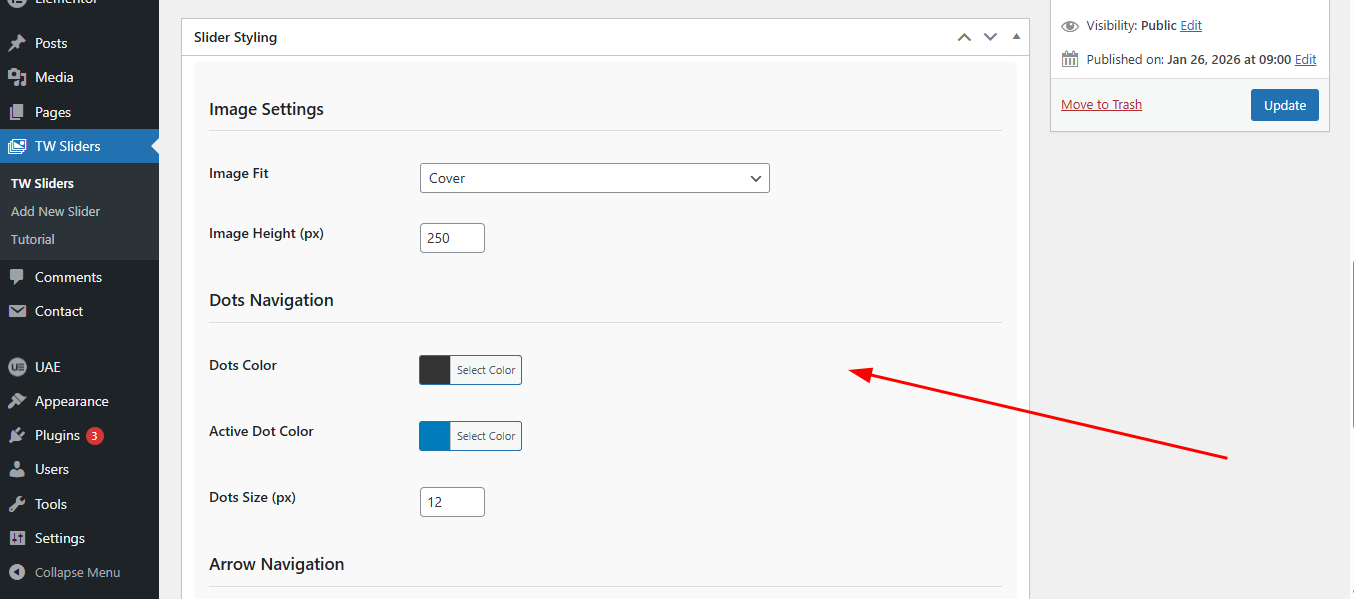
Screenshot 2: Slider Styling – Customizing slider appearance, including height, Image Fit, and visual effects. 
Screenshot 3: Frontend Display – Responsive slider on a website.
Instalación
Method 1: WordPress Admin (Recommended)
- Go to Plugins Add New in your WordPress admin
- Click Upload Plugin
- Choose the tw-simple-slider.zip file
- Click Install Now
- Activate the plugin
Method 2: Manual Installation
- Download the plugin zip file
- Extract the contents to your /wp-content/plugins/ directory
- Rename the folder to simple-slider
- Go to Plugins in WordPress admin
- Find TW Simple Slider and click Activate
FAQ
-
How many images can I add to a slider?
-
You can add unlimited images to each slider.
-
Can I use different slider types on the same page?
-
Yes, you can use multiple sliders with different types on the same page.
-
Is the slider responsive?
-
Yes, all sliders are fully responsive and work on mobile, tablet, and desktop devices.
-
How do I change the slider speed?
-
Slider speed is preset for optimal viewing. Custom speed control will be added in future versions.
-
Can I use the slider in page builders?
-
Yes! The plugin works with all major page builders using the shortcode.
Reseñas
No hay reseñas para este plugin.
Colaboradores y desarrolladores
"TW Simple Slider" es un software de código abierto. Las siguientes personas han colaborado con este plugin.
Colaboradores
Traduce "TW Simple Slider" a tu idioma.
¿Interesado en el desarrollo?
Revisa el código , echa un vistazo al repositorio SVN o suscríbete al registro de desarrollo por RSS.
Registro de cambios
1.0.0
- Initial release
- Basic slider functionality
- Fade animation support
- Drag & drop image reordering
- Shortcode support
- Responsive design