

Descripción
Softlinkster Update Shield helps you review plugin update risk before you click Update. It also finds unnecessary plugins cluttering your site and shows you how to remove them.
The Problem Every WordPress User Faces:
You see 12 pending plugin updates. You click "Update All" and hope nothing breaks. Sometimes it works. Sometimes your checkout stops working, your forms disappear, or you get the dreaded white screen. There was no way to know beforehand — until now.
What Softlinkster Update Shield Does:
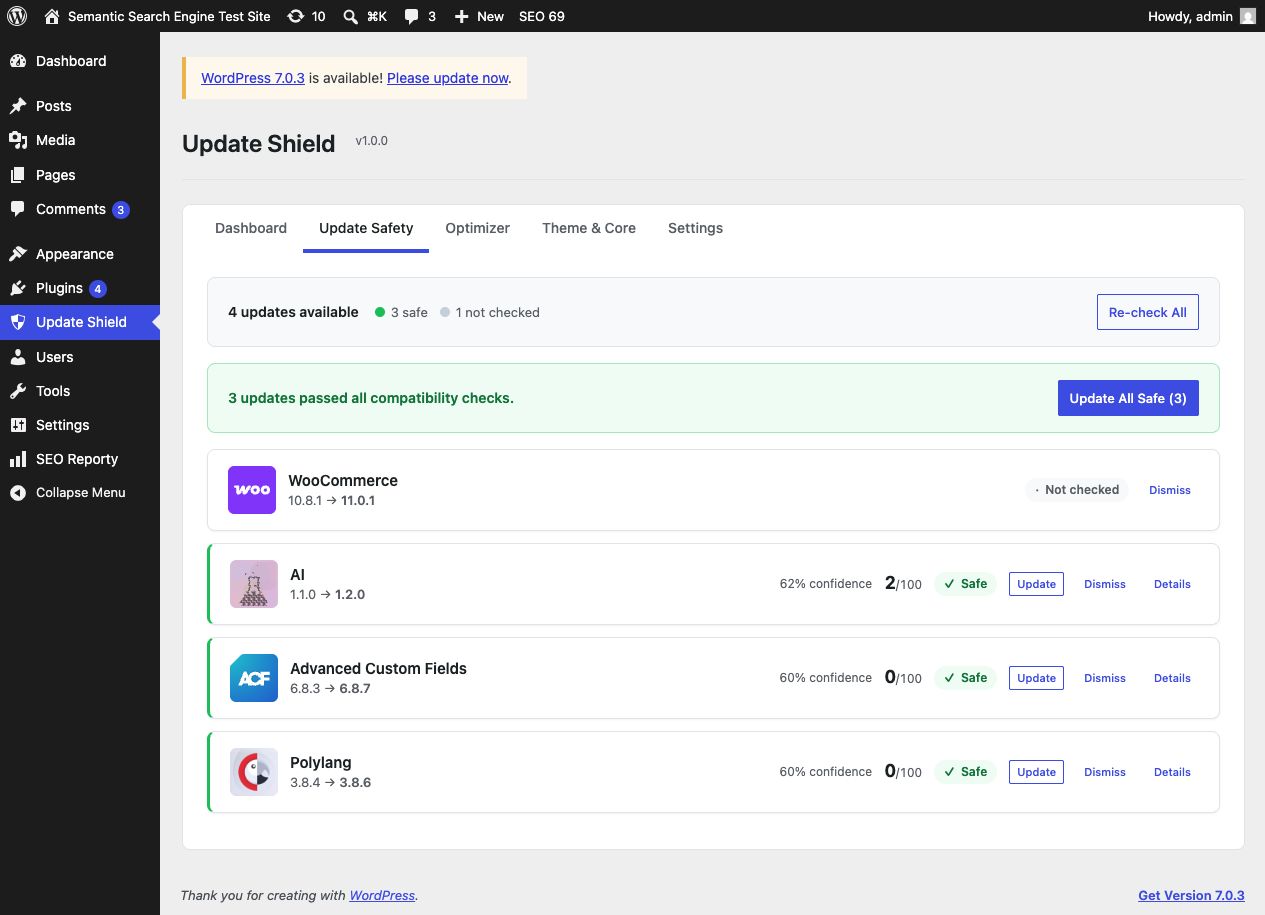
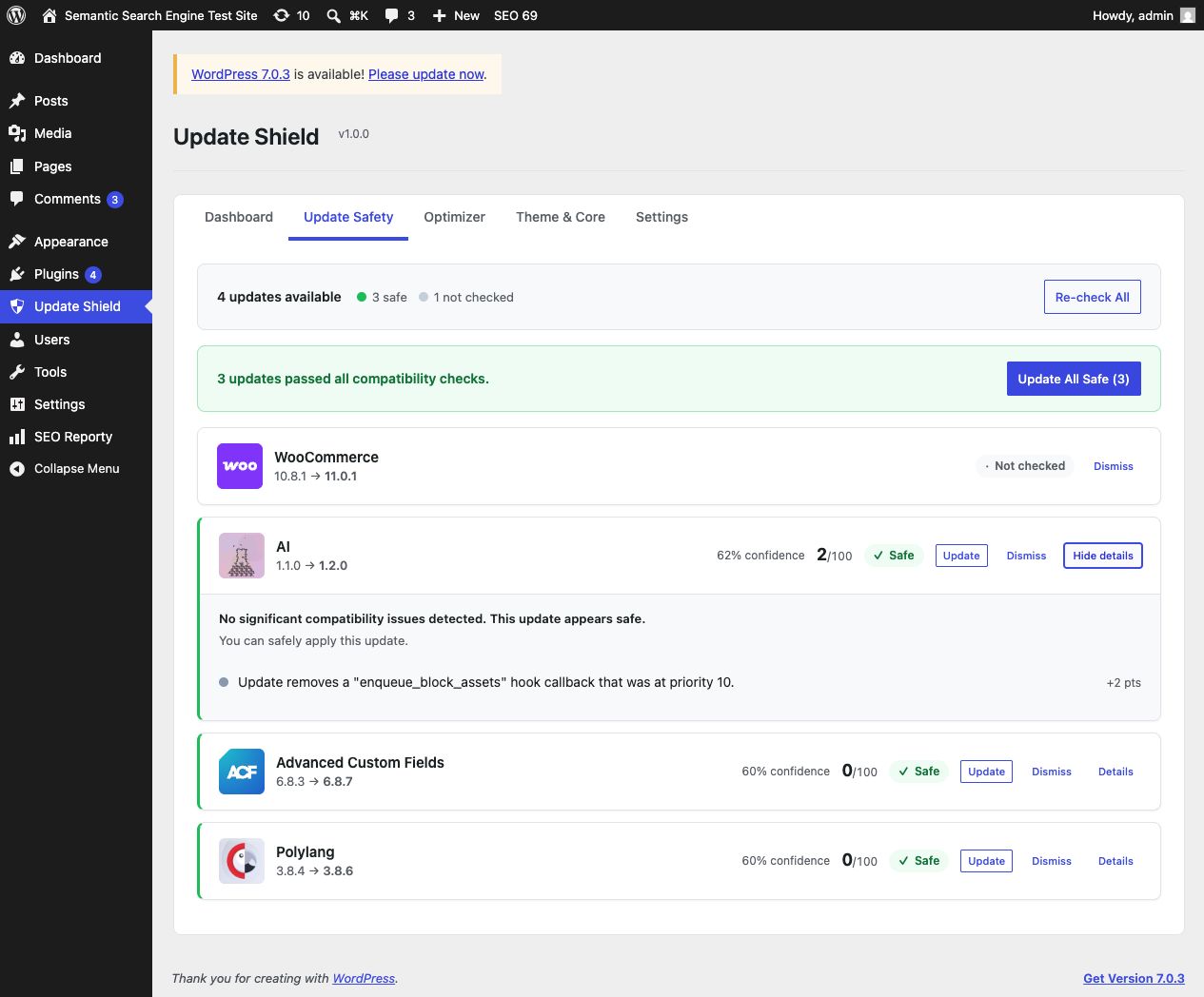
Pre-Update Safety Check
See a green, yellow, or red risk score for every pending update. Softlinkster Update Shield downloads the pending version from WordPress.org when available, scans its code, checks for hook conflicts with your other plugins, verifies PHP compatibility, and shows you what may break before you update.
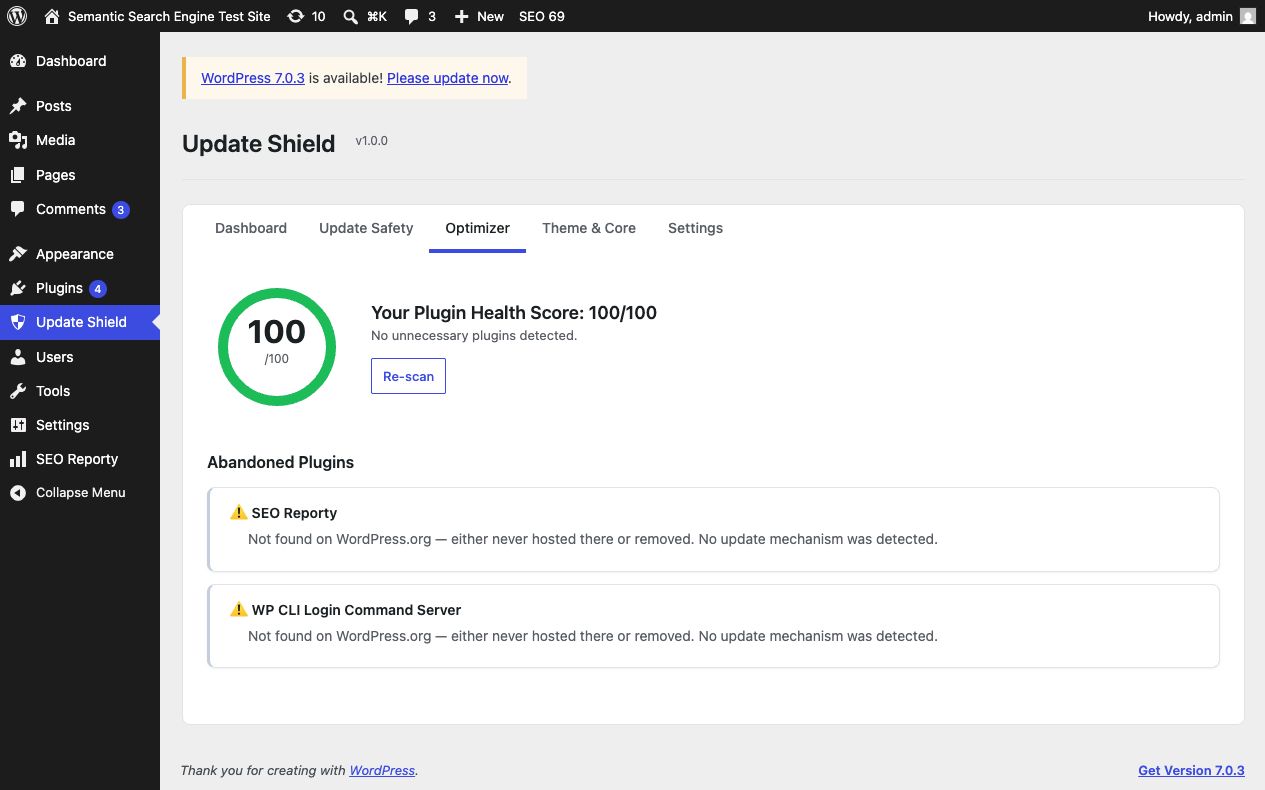
Plugin Stack Optimizer
Find plugins you don’t need: unused plugins sitting idle, duplicate plugins doing the same job, and plugins you can replace with a simple 3-line code snippet. Go from 30 plugins to 20 without losing any functionality.
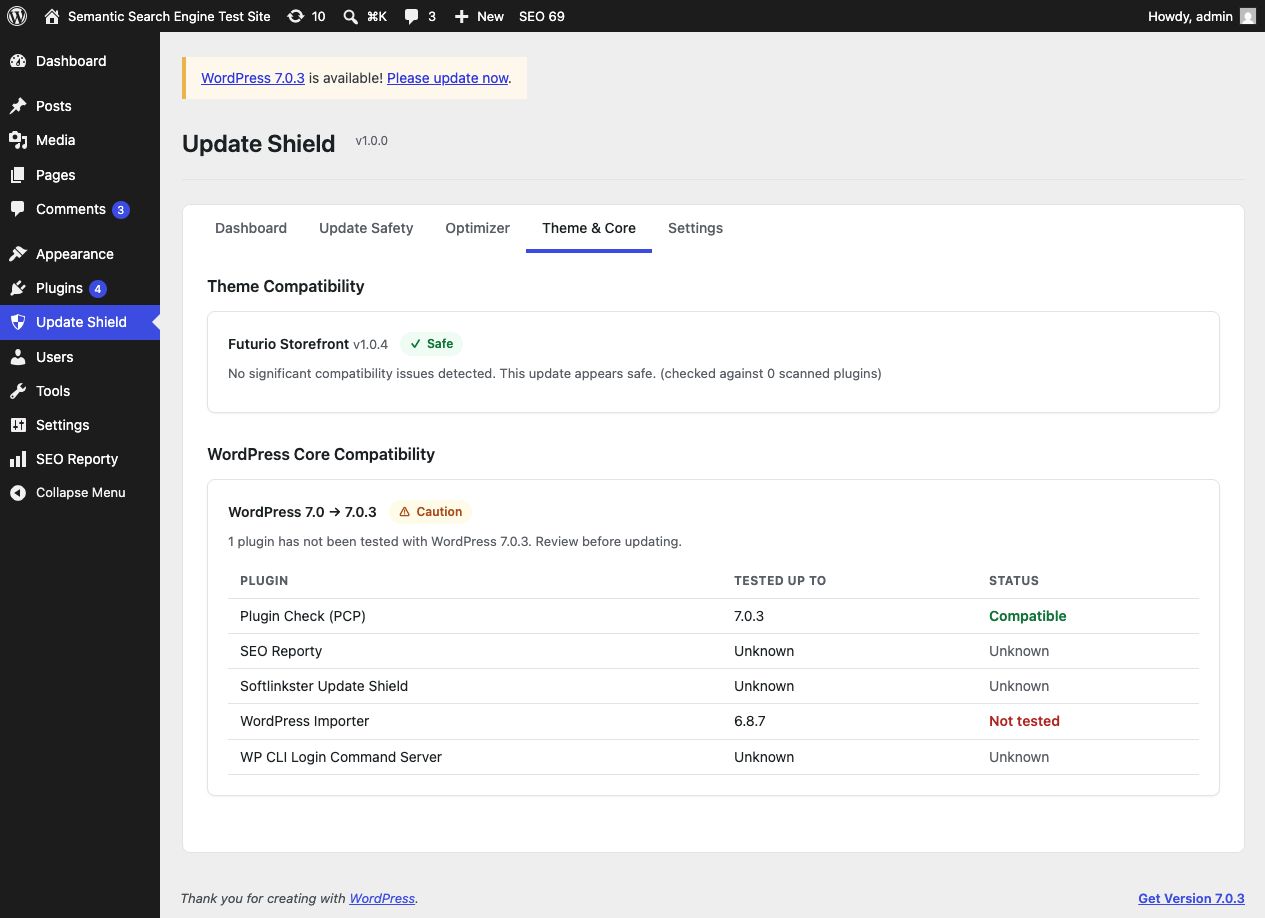
Theme & Core Compatibility
Check whether your theme and WordPress core updates are compatible with your current plugin setup. No blind spots.
Local Compatibility Intelligence
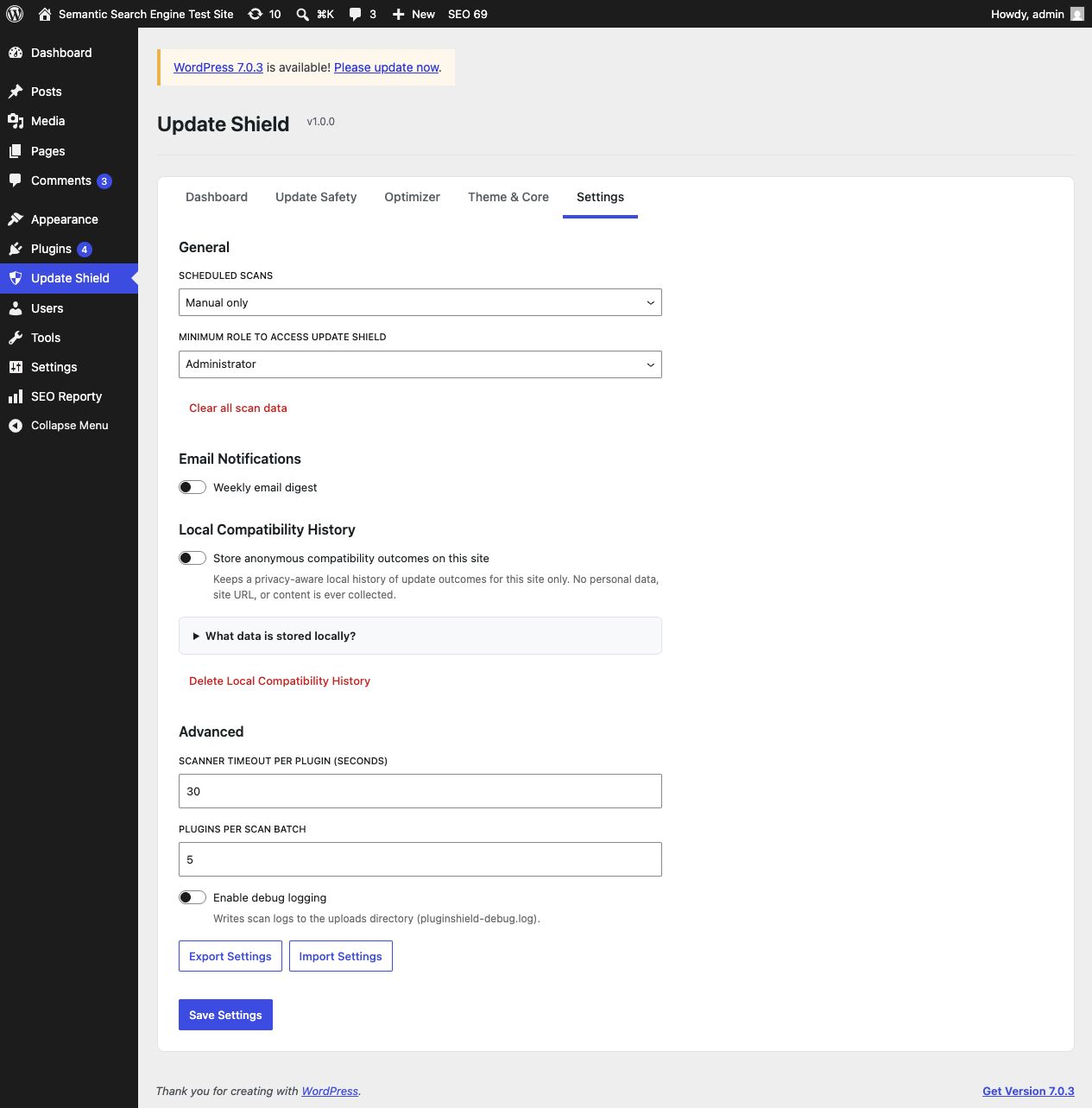
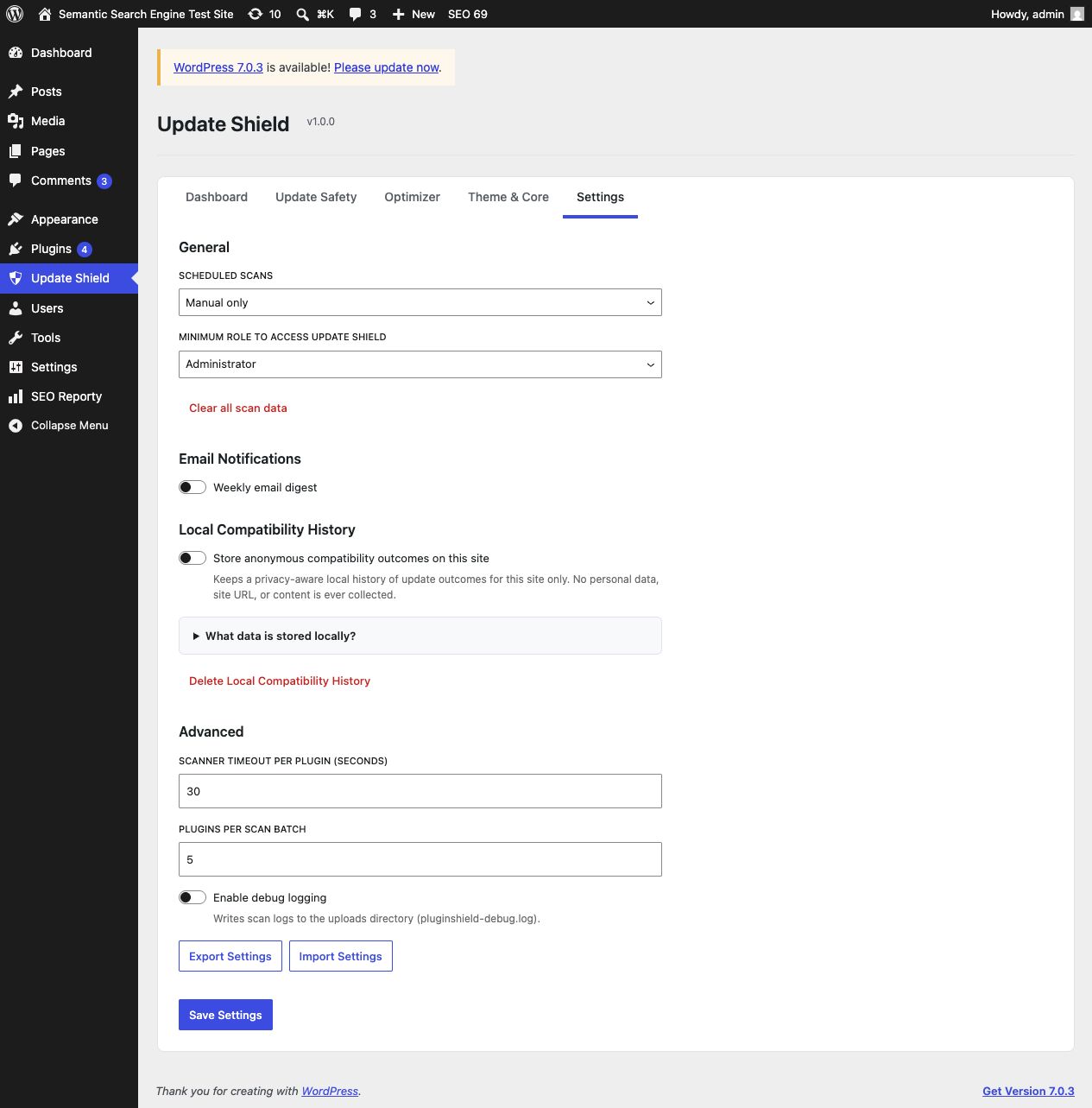
Softlinkster Update Shield can store anonymized update outcomes locally on your site when you opt in. That gives you a privacy-aware compatibility history and prepares the plugin for future shared intelligence features.
Works on every WordPress site: Online stores (WooCommerce), membership sites, blogs, portfolios, business sites, LMS platforms, and everything in between.
Low overhead by design: Softlinkster Update Shield adds no frontend scripts. Deep scans run only when you trigger them, while optional scheduled scans and email digests run only if you enable them.
Capturas
Instalación
- Upload the
softlinkster-update-shieldfolder to/wp-content/plugins/ - Activate through the 'Plugins' menu in WordPress
- Go to 'Update Shield' in the admin sidebar
- Click 'Run First Check' to scan your updates
FAQ
-
Does Softlinkster Update Shield slow down my site?
-
No. Softlinkster Update Shield runs ONLY in the WordPress admin and ONLY when you trigger a scan. It adds zero scripts or styles to your frontend. Your visitors will never know it’s there.
-
How accurate are the risk predictions?
-
Softlinkster Update Shield uses multiple detection layers: hook collision analysis, PHP compatibility checking, JavaScript/CSS conflict detection, database schema analysis, and local compatibility history. Critical signals (PHP incompatibility, class name collisions) are deterministic — they will always catch guaranteed fatal errors. Other signals indicate potential issues that may or may not be visible.
-
Does it work with WooCommerce?
-
Yes for WooCommerce itself, and for many WordPress.org-hosted extensions. Softlinkster Update Shield can analyze pending versions that are downloadable from WordPress.org. Commercial or privately distributed plugins may still appear in your stack, but pre-update code comparison may be limited when their update packages are not publicly downloadable.
-
What data does the compatibility history feature store?
-
When opted in, Softlinkster Update Shield stores only anonymized compatibility data on your own site: plugin names and versions, PHP version, WordPress version, and whether the update succeeded or failed. No personal data, site URLs, content, or customer data is collected. This is opt-in and off by default.
-
Does Softlinkster Update Shield contact remote services?
-
Yes. When you run compatibility checks, Softlinkster Update Shield may contact the official WordPress.org Plugin API and download publicly available plugin packages from WordPress.org for analysis. Service domains:
api.wordpress.organddownloads.wordpress.org. WordPress.org privacy policy: https://wordpress.org/about/privacy/. It does not send your site content to WordPress.org. -
Where can I get support?
-
Visit https://softlinkster.com/plugins/update-shield for documentation and support contact information. Once the plugin is live on WordPress.org, you can also use its support forum there.
-
Where is the human-readable source code?
-
The production assets live in
build/. The corresponding uncompiled source is included insrc/, with build configuration inpackage.jsonandcomposer.json, so the packaged plugin can be reviewed and rebuilt without needing a separate source repository. -
Can I use it with Elementor / Divi / Bricks?
-
Yes. Page builder plugins are scanned the same way as any other plugin. They often have the most hooks, making Softlinkster Update Shield especially useful for detecting builder-related conflicts.
-
What happens if Softlinkster Update Shield says an update is risky?
-
You’ll see exactly WHY it’s risky — which specific hook conflicts exist, which PHP functions are incompatible, or what other users experienced. You can then decide to wait for a fix, contact the plugin developer, or proceed at your own risk.
Reseñas
No hay reseñas para este plugin.
Colaboradores y desarrolladores
"Softlinkster Update Shield" es un software de código abierto. Las siguientes personas han colaborado con este plugin.
Colaboradores
Traduce "Softlinkster Update Shield" a tu idioma.
¿Interesado en el desarrollo?
Revisa el código , echa un vistazo al repositorio SVN o suscríbete al registro de desarrollo por RSS.
Registro de cambios
1.0.0
- Initial release
- Pre-update safety check with 4 detection layers
- Plugin stack optimizer with unused, duplicate, and snippet replacement detection
- Abandoned plugin detection with alternative suggestions
- Theme and WordPress core compatibility checking
- Local opt-in compatibility history
- Weekly email digest notifications
- Modern React-based admin interface
- Improved WordPress coding standards and submission readiness