

Descripción
BookingOptimiser for Bókun is a Bókun booking calendar for WordPress. It connects to the Bókun
booking API and shows your tours, activities, and experiences with their real-time availability
in a clean, mobile-friendly calendar. Visitors pick a date and time slot and book on your own
site — the cart, booking questions, and payment all run through Bókun (Stripe card payments or
reserve-for-payment). The plugin only displays your experiences and takes bookings — no discounts
and no deal generation.
If you sell tours or activities and manage them in Bókun, this plugin turns any WordPress page into
a live tour-booking and activity-reservation page, with on-site checkout, so customers never leave
your website.
Features
- Bókun availability calendar — real-time time slots, seats left, and prices pulled from Bókun.
- On-site checkout through Bókun — Stripe card payment or reserve-for-payment; no redirect.
- Tabbed calendars for multiple tours/activities, experience-card grids, and a single-experience page with hero and gallery.
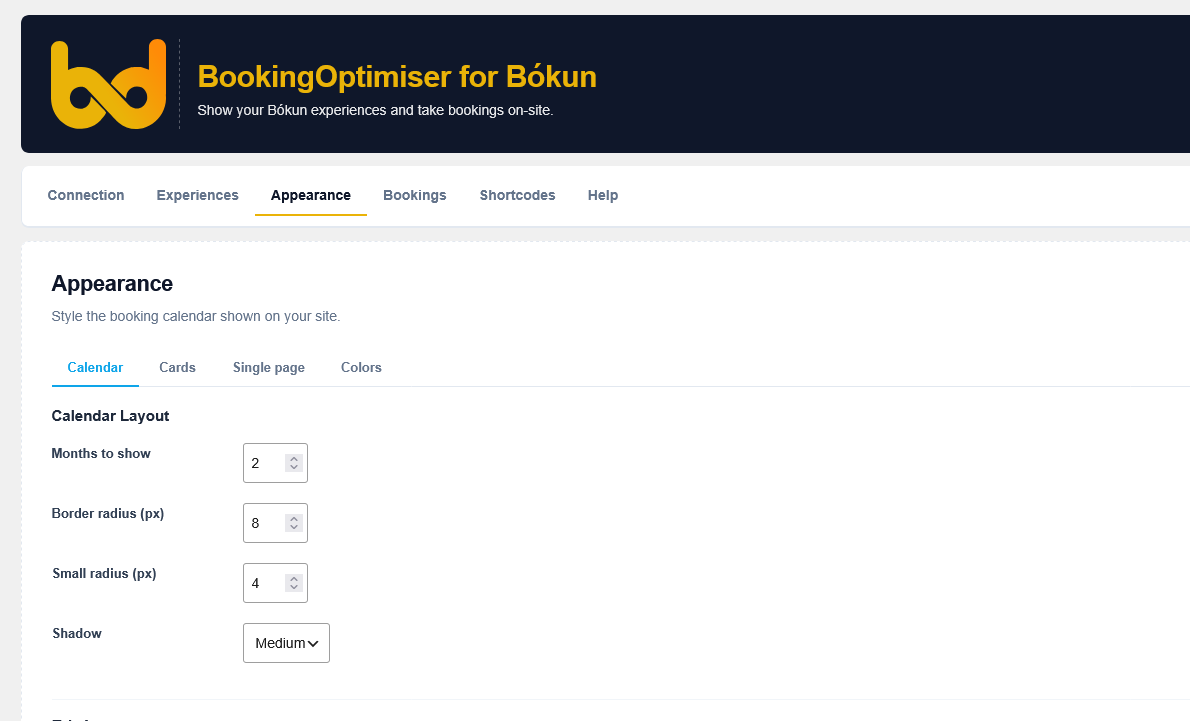
- Shortcodes and Gutenberg blocks, with appearance controls (colors, layout, cards, single page).
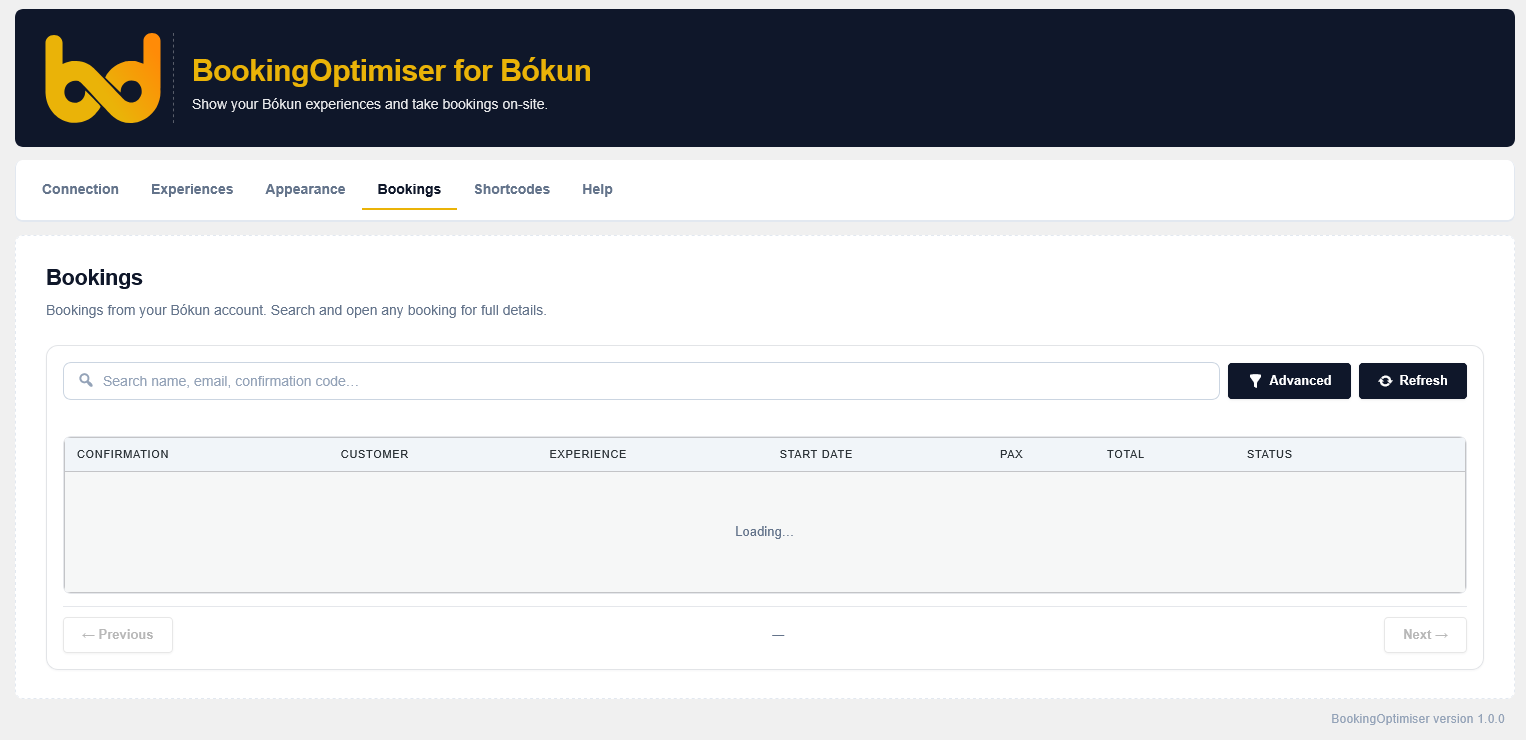
- Live Bókun bookings viewer in the admin (optional).
- Lightweight and privacy-friendly: no tracking, no cookies, no analytics.
This plugin is a third-party integration for Bókun. It is not affiliated with, endorsed by, or
operated by Bókun ehf. "Bókun" is a trademark of its respective owner and is used here only to
describe compatibility.
Shortcodes & blocks:
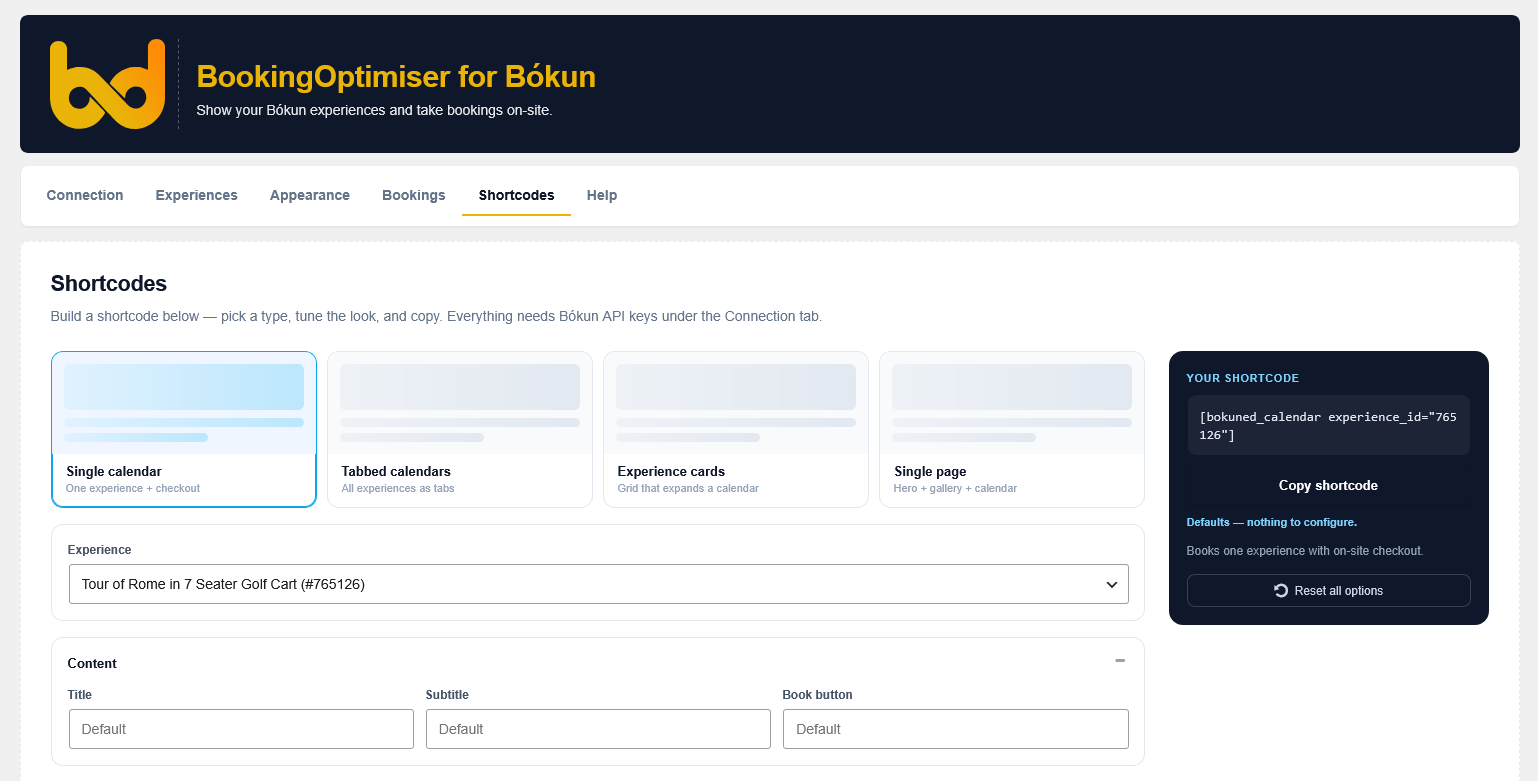
[bokuned_calendar experience_id="ID"]— availability calendar + checkout for one experience[bokuned_tabs]— tabbed calendars, one tab per saved experience[bokuned_experiences]— grid of experience cards, each opening a booking calendar[bokuned_experience experience_id="ID"]— full single-experience page (hero, gallery, calendar)
Matching Gutenberg blocks are available under the "BookingOptimiser" category in the block editor.
External services
This plugin relies on external services to function. By using it you (and your site’s visitors)
interact with the following third parties:
Bókun (booking platform) — required.
What it is: Bókun is a tours-and-activities reservation system. This plugin reads your experiences'
availability and prices from the Bókun API and submits bookings to it.
Data sent and when: on page load, requests for availability include your configured experience/
activity IDs and the requested date range. When a visitor books, the data they enter — name, email,
phone, number of participants, answers to Bókun’s booking questions, and the payment token — is sent
to Bókun to create the booking. Requests are signed with the API Access Key and Secret Key you
enter under Connection.
Endpoints: https://api.bokun.io
Service info: https://www.bokun.io
Terms of Service: https://www.bokun.io/terms
API Terms: https://www.bokun.io/api-terms
Privacy Policy: https://www.bokun.io/privacy-policy
Stripe (card payments) — used only at checkout when your Bókun account takes card payments.
What it is: Stripe processes card payments. During Bókun checkout the plugin loads Stripe.js to
tokenize the visitor’s card in the browser.
Data sent and when: when a visitor pays by card, their card details are sent directly to Stripe and
exchanged for a single-use token; the plugin never sees or stores the raw card number.
Endpoints: https://js.stripe.com
Terms of Service: https://stripe.com/legal — Privacy Policy: https://stripe.com/privacy
Privacy
This plugin does not track your visitors. It sets no tracking cookies, runs no analytics, and stores
no booking, customer, or payment data in your WordPress database — all booking and payment data is
handled by Bókun (and Stripe) through their APIs. The only data this plugin saves locally is your
plugin settings (API keys, selected experiences, and appearance options).
Usage
Add a shortcode (or the matching block from the "BookingOptimiser" block category) to any
page or post. There is also an interactive shortcode builder under BookingOptimiser
Shortcodes in wp-admin that generates the code for you. Every shortcode and block inherits the
defaults set under Appearance, and any attribute you pass overrides that default per instance.
[bokuned_calendar] — availability calendar + checkout for one experience
[bokuned_calendar experience_id="12345"]
Attributes: experience_id (Bókun activity ID), title, subtitle, cta (book-button label),
months (1–4), font_size (small|medium|large), density (comfortable|compact), button_style
(solid|outline|pill), week_start (monday|sunday), show_weekdays, show_title, show_subtitle,
show_price, show_seats, show_progress, show_fomo, show_legend, show_image.
[bokuned_tabs] — one tab per saved experience
[bokuned_tabs] or `[bokuned_tabs experience_ids="111,222,333"]`
Attributes: experience_ids (comma-separated; omit to show all saved experiences), plus all the
calendar feel/visibility attributes listed above.
[bokuned_experiences] — grid of experience cards
[bokuned_experiences columns="3"]
Attributes: experience_ids, columns (auto|2|3|4), style (classic|overlay|minimal), ratio
(landscape|square|portrait), gap (sm|md|lg), hover (lift|none), align (left|center), shadow
(none|soft|strong), show_image, show_desc, cta. Each card opens a booking calendar inline.
[bokuned_experience] — full single-experience page
[bokuned_experience experience_id="12345"]
Attributes: experience_id, layout (stacked|sidebar|none), hero, hero_height
(small|medium|large), gallery, description, max_width (px; 0 = full width), sidebar_months
(1–4), sidebar_width (narrow|balanced|wide), sticky.
Boolean attributes accept yes/no (or true/false, 1/0). Blocks expose the same options
in the editor sidebar; leaving an option blank inherits the Appearance default.
Capturas
Bloques
Este plugin proporciona 4 bloques.
- Bokuned Calendar
- Bokuned Tabs
- Bokuned Experiences
- Bokuned Experience
Instalación
- Upload the
bookingoptimiser-for-bokunfolder towp-content/plugins/. - Activate BookingOptimiser for Bókun in Plugins.
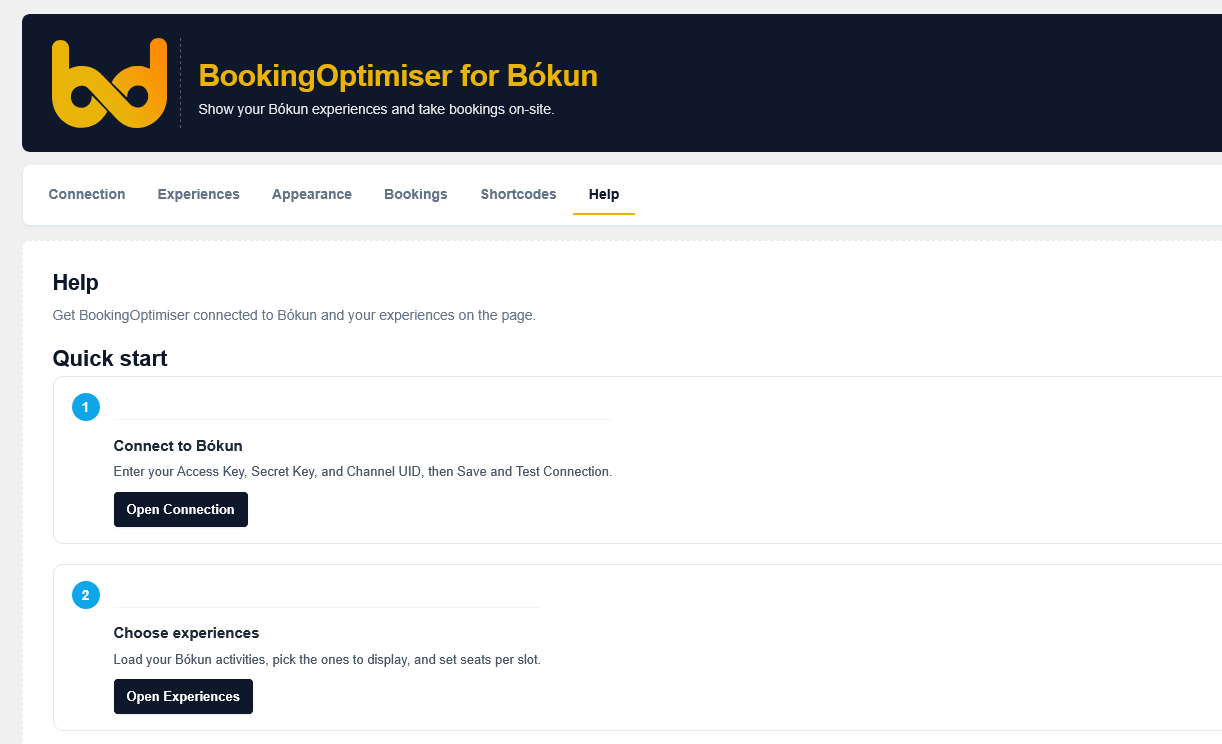
- Open BookingOptimiser in the admin sidebar.
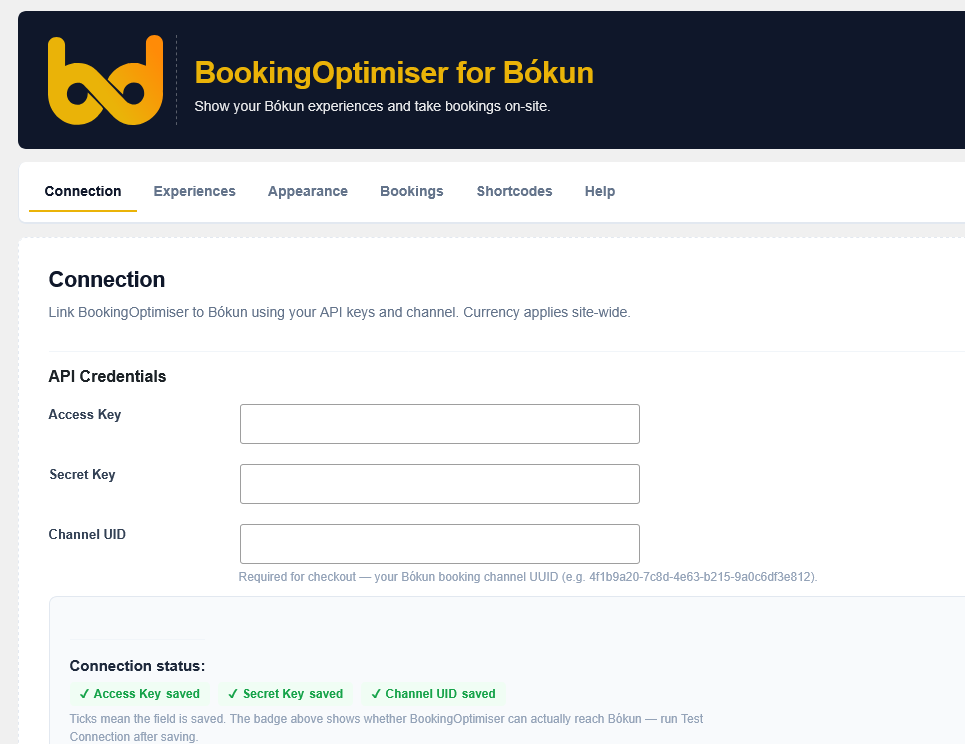
- Under Connection, enter your Bókun Access Key, Secret Key, and Channel UID, then Save and Test Connection.
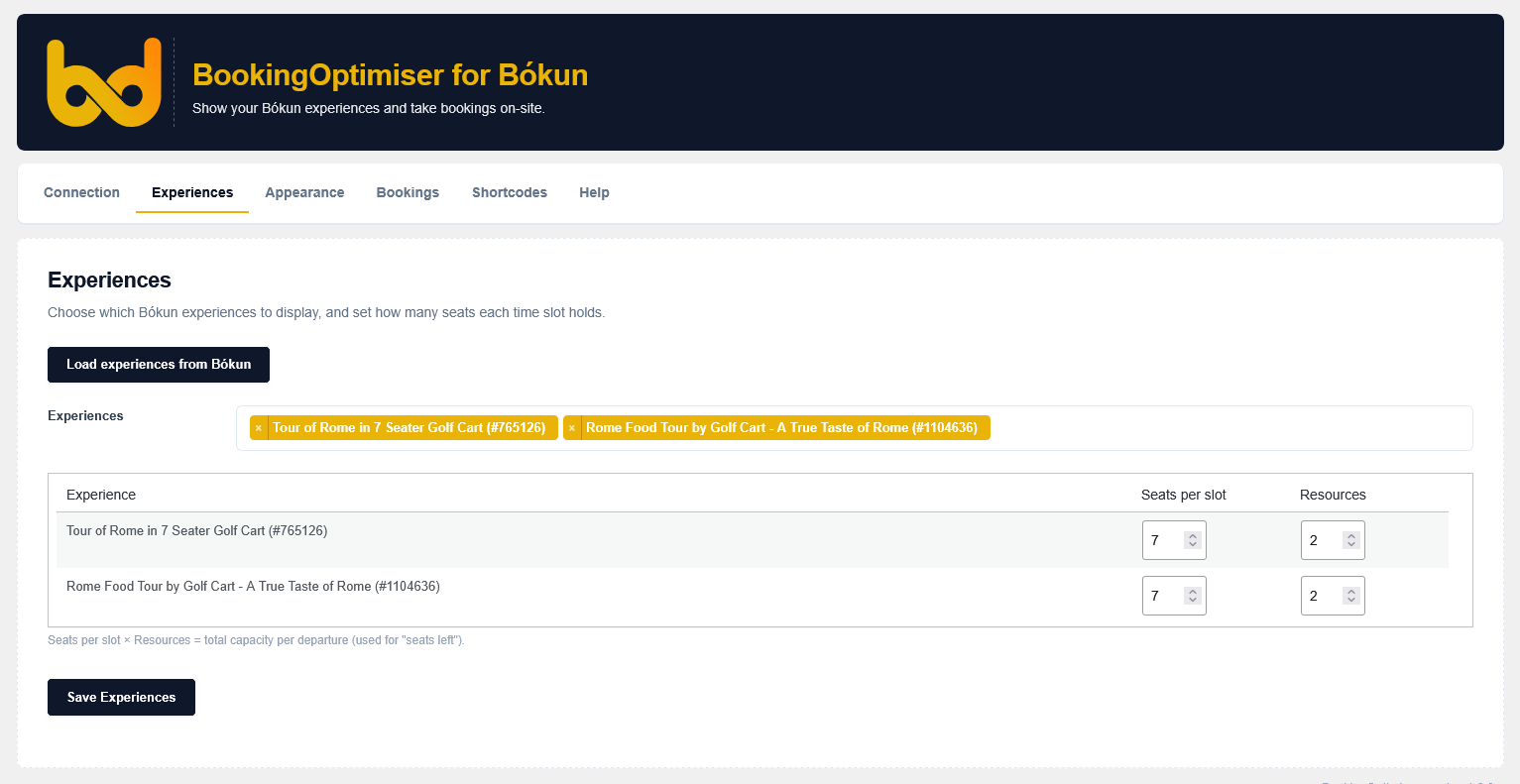
- Under Experiences, load your Bókun activities, pick the ones to show, and set seats per slot.
- Place a BookingOptimiser block, or
[bokuned_calendar]/[bokuned_tabs], on any page.
FAQ
-
Do I need a Bókun account?
-
Yes. This plugin requires a Bókun account. Enter your Access Key, Secret Key, and Channel UID under the Connection tab — you can generate API keys in your Bókun account settings.
-
Where does checkout happen?
-
On your own site. The cart, booking questions, and payment all run through the Bókun API — either Stripe card payment or reserve-for-payment, depending on your Bókun setup. Customers never leave your site.
-
Does it create discounts or deals?
-
No. The plugin only displays your experiences with their real availability and list price, and takes bookings. It does not generate deals, discounts, or coupon codes.
-
Does it track visitors?
-
No. It sets no tracking cookies and runs no analytics. See the External services and Privacy sections above for exactly what data is sent to Bókun and Stripe.
-
Is this an official Bókun plugin?
-
No. It is an independent third-party integration that works with Bókun. It is not affiliated with or endorsed by Bókun.
Reseñas
No hay reseñas para este plugin.
Colaboradores y desarrolladores
"BookingOptimiser for Bókun" es un software de código abierto. Las siguientes personas han colaborado con este plugin.
Colaboradores
Traduce "BookingOptimiser for Bókun" a tu idioma.
¿Interesado en el desarrollo?
Revisa el código , echa un vistazo al repositorio SVN o suscríbete al registro de desarrollo por RSS.
Registro de cambios
1.0.0
- Initial release.
- Connect to the Bókun API and display experiences with their real availability in a calendar.
- Shortcodes and Gutenberg blocks: calendar, tabbed calendars, experience cards, and single-experience page.
- On-site checkout through Bókun (Stripe card payment or reserve-for-payment).
- Admin: Connection, Experiences, Appearance, Bookings (live from Bókun), Shortcodes, and Help.