

Descripción
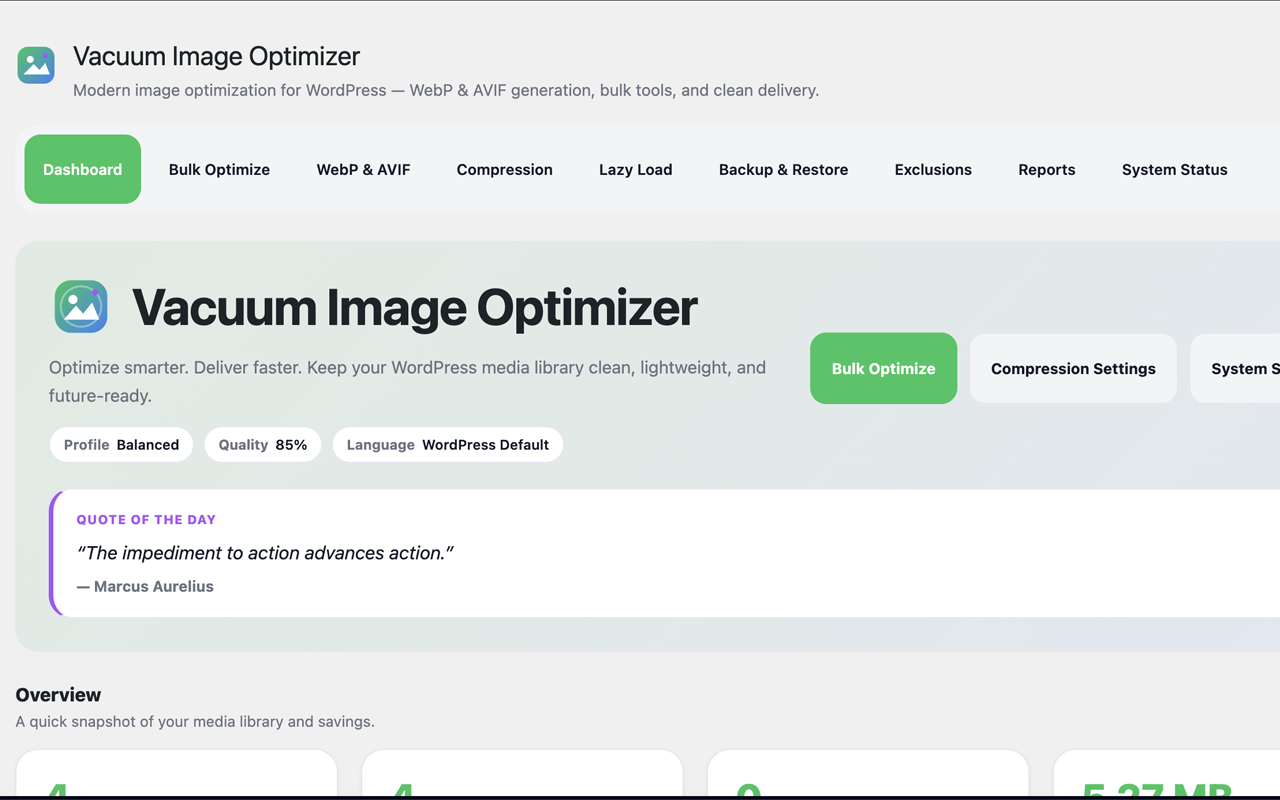
Vacuum Image Optimizer is a modern, lightweight image optimization toolkit for WordPress. It shrinks your image footprint by generating next-generation WebP and optional AVIF files locally, while always keeping your original files safe and untouched.
Everything happens inside a clean, friendly admin interface — no command line, no external services, and no account required.
Unlike optimizers that rewrite originals or depend on a remote API, Vacuum writes generated formats alongside the source image, can keep restorable backups, and serves WebP/AVIF on the frontend without changing stored media URLs.
What it does
- WebP generation and source optimization — Create optimized WebP copies of JPEG/PNG images and safely recompress uploaded WebP source files when the result is smaller.
- AVIF generation — Optionally generate AVIF, a newer format that is often even smaller than WebP, as a parallel format when the server supports it.
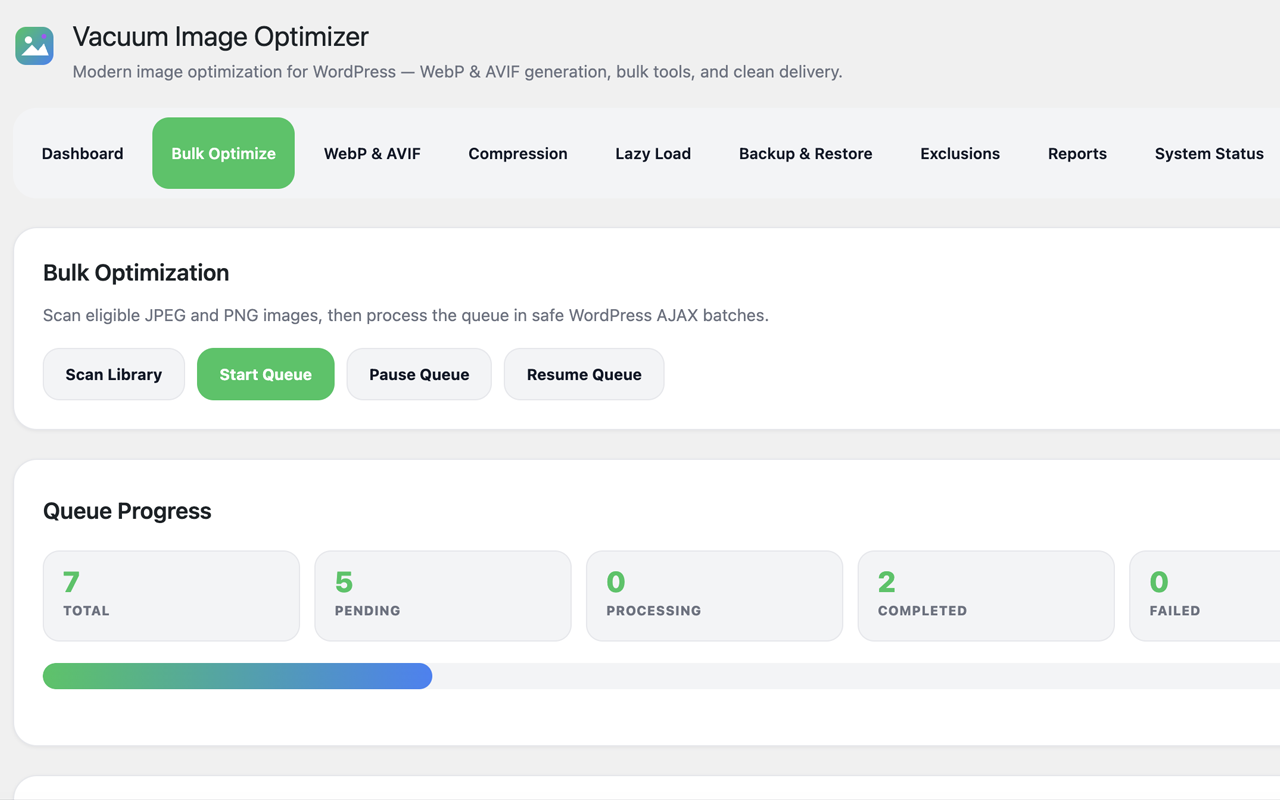
- Bulk optimization — Scan your media library and process eligible images in safe, batched background steps.
- Queue processing — A reliable queue runs work in small WordPress AJAX batches you can start, pause, and resume.
- Upload automation — Automatically optimize new JPEG, PNG, and WebP uploads, either by queueing them or processing them immediately.
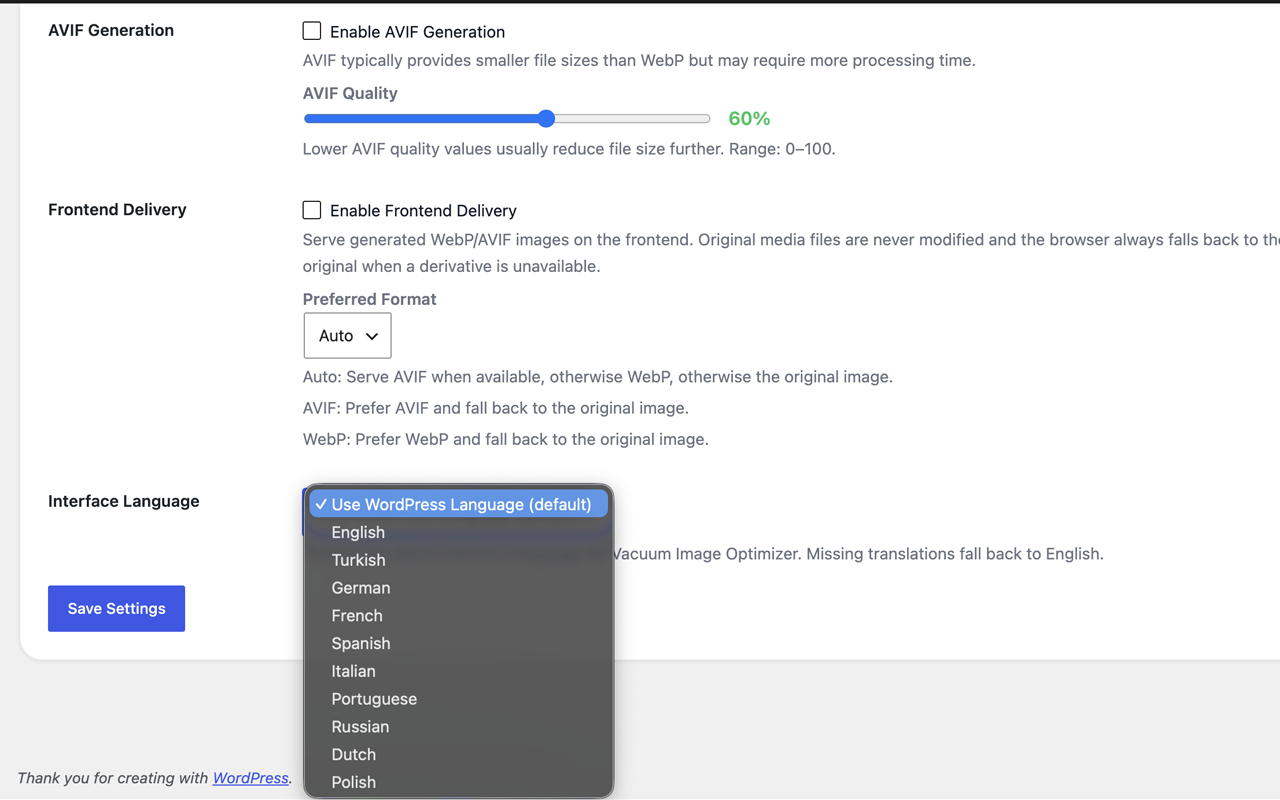
- Frontend delivery — Serve generated WebP/AVIF on the frontend with automatic, safe fallback to the original image — your media URLs in the database are never changed.
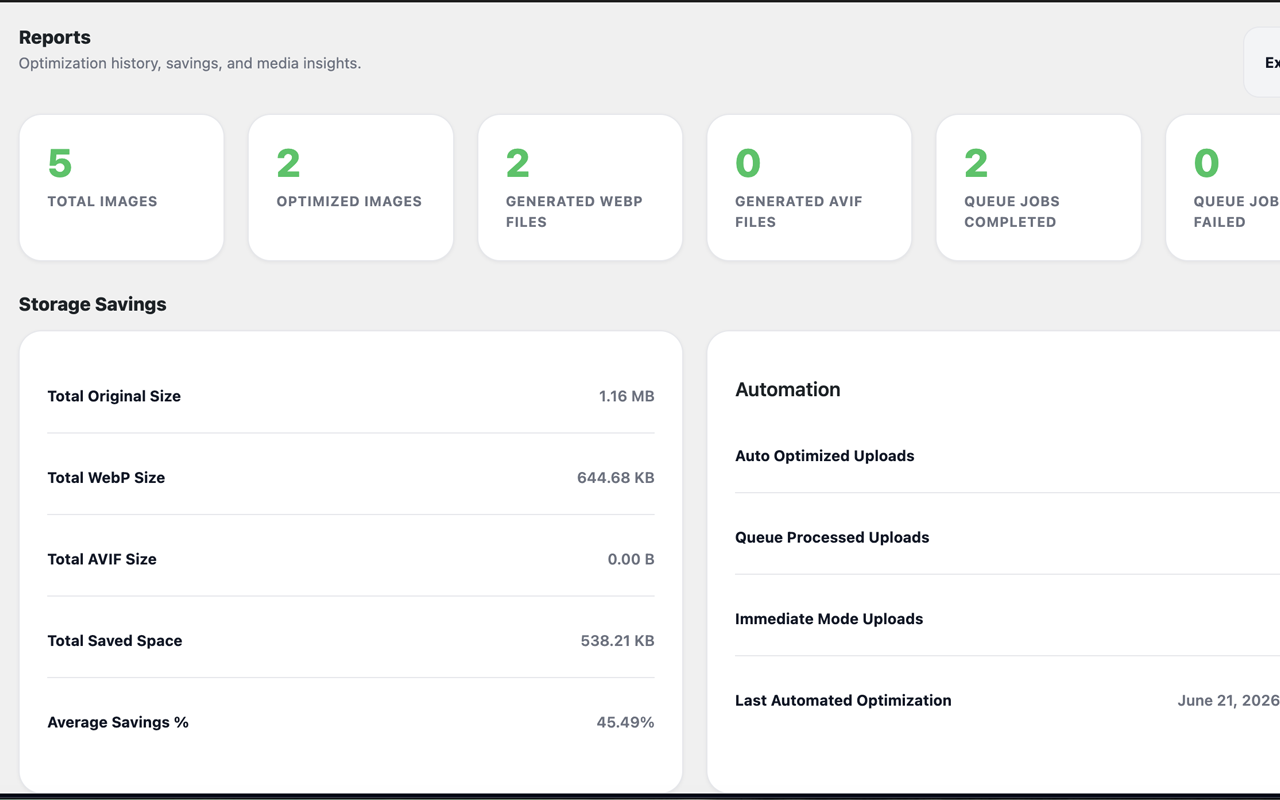
- Reports — See storage savings, recent activity, top savings, format distribution, and automation stats, with one-click CSV export.
- Localization — Fully translatable, shipping with 9 bundled languages plus an in-plugin interface-language selector.
- Local processing — No external API dependency; optimization runs on your WordPress server.
Safe by design
Vacuum never modifies or deletes your original images. Optimized formats are written alongside the originals, optional backups can be kept, and a one-click restore brings originals back at any time.
Features
- WebP image generation (Imagick or GD)
- WebP source-file recompression with backup-first safety
- AVIF image generation as a parallel format
- Optional setup wizard with Safe Mode defaults
- Bulk optimization with a start/pause/resume queue
- Automatic optimization of new uploads (queue or immediate mode)
- Non-destructive frontend delivery with original fallback
- Native browser lazy loading (no JavaScript)
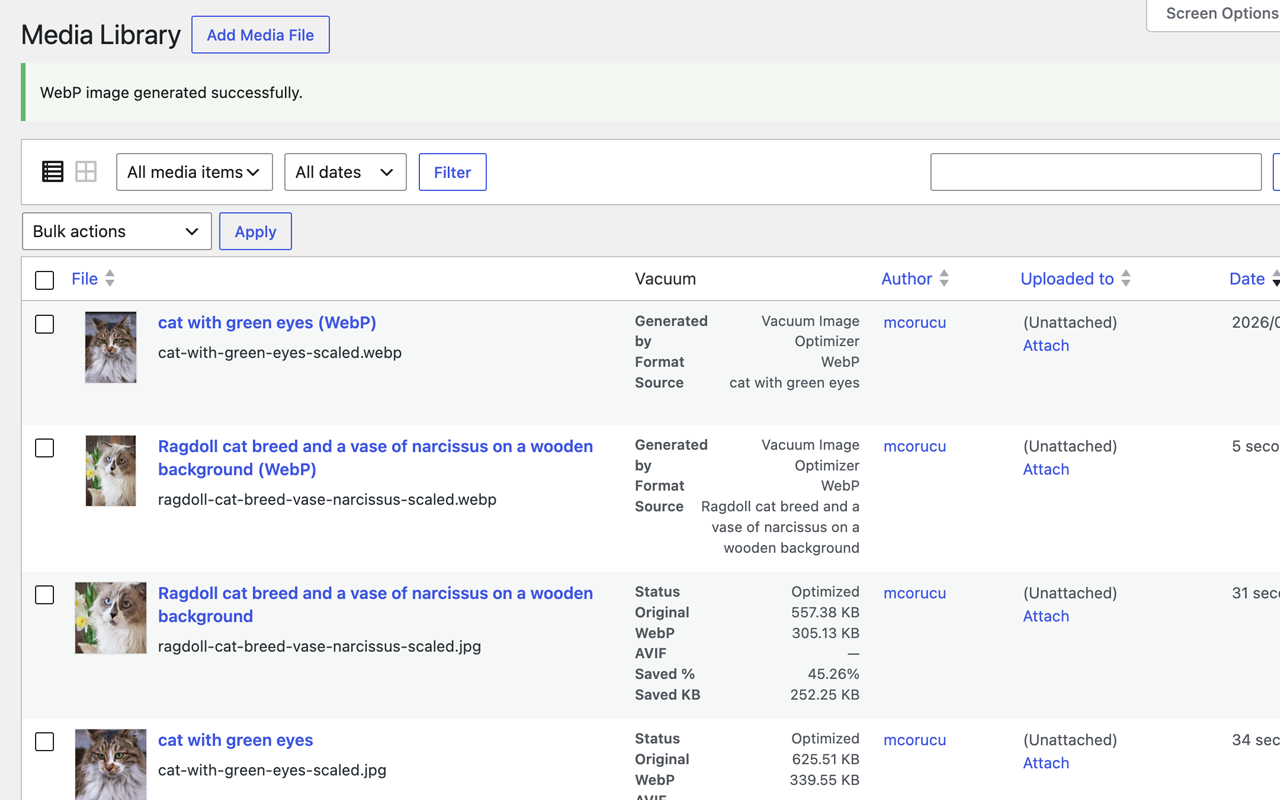
- Per-image WebP/AVIF actions in the Media Library
- Generated derivatives registered as Media Library items
- Original backups and one-click restore
- Expanded exclusions for MIME types, file sizes, filenames, and paths
- Local processing with no external API dependency
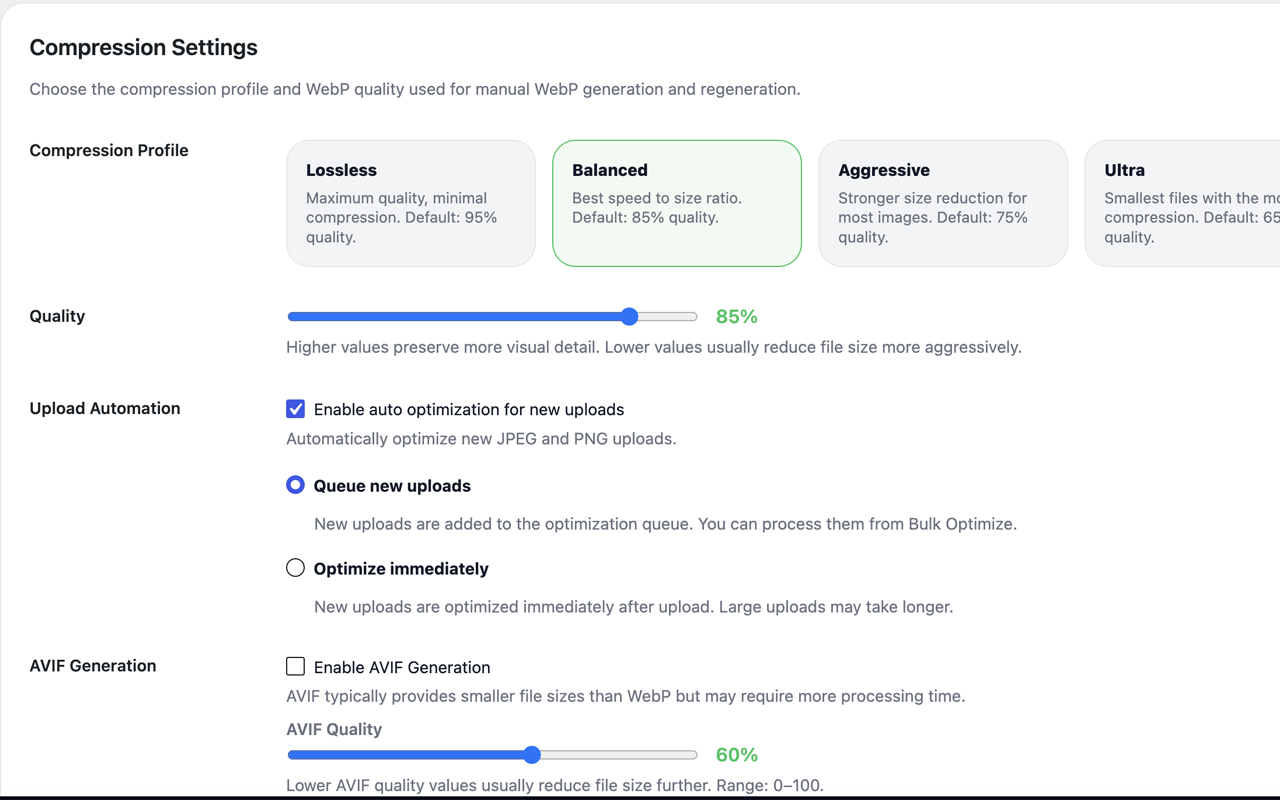
- Compression profiles and adjustable quality
- GIF and SVG eligibility exclusions
- Reports dashboard with CSV export
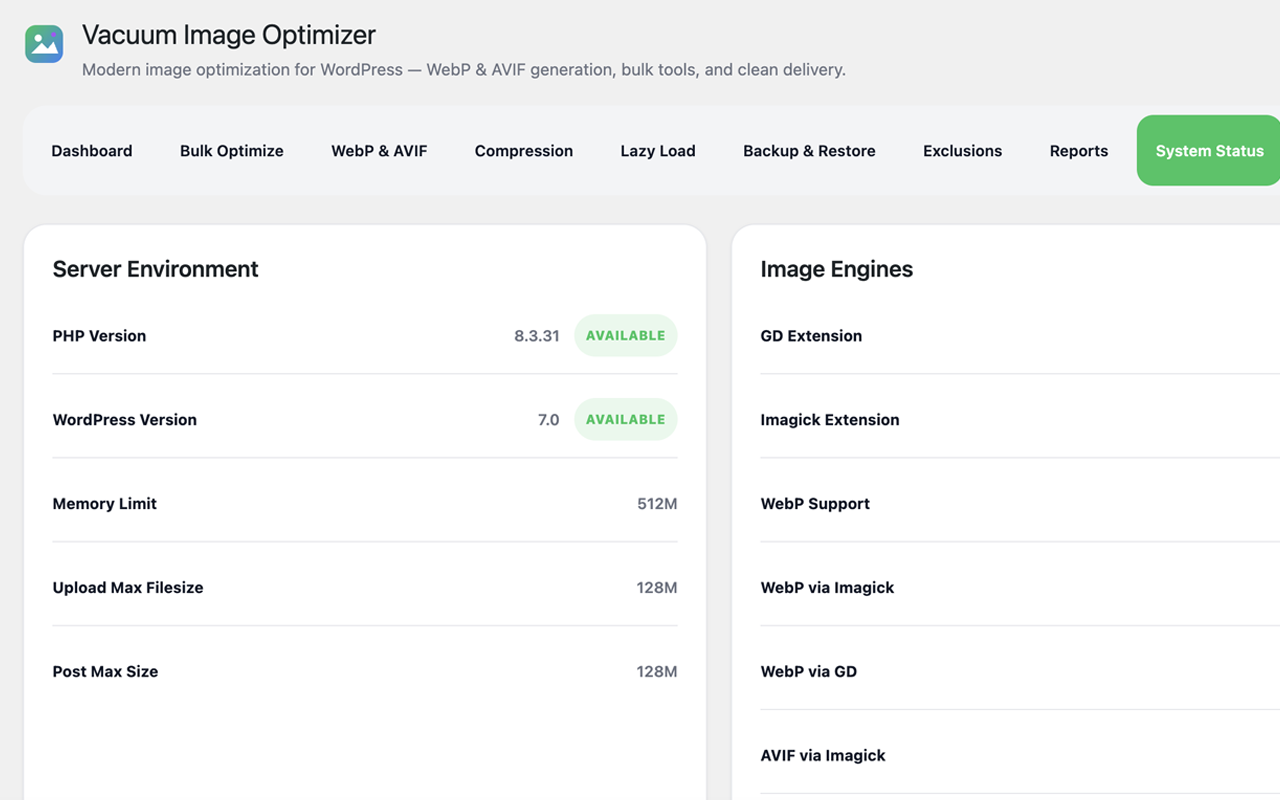
- System status and production-readiness checks
- Interface language selector with 9 bundled translations
- Clean, accessible, mobile-responsive admin UI
Capturas
Instalación
- Upload the
vacuum-image-optimizerfolder to the/wp-content/plugins/directory, or install the plugin through the Plugins Add New screen in WordPress. - Activate the plugin through the Plugins screen.
- Go to Media Vacuum Image Optimizer to open the dashboard.
- Complete or skip the optional setup wizard.
- Open the Compression tab to choose a compression profile and quality, and to optionally enable AVIF, upload automation, and frontend delivery.
- Open the Bulk Optimize tab, click Optimize all unoptimized images, then Start Queue to optimize existing images.
FAQ
-
Does Vacuum replace my original images?
-
No. Your original files are never modified or deleted. Optimized WebP/AVIF copies are created alongside the originals, and the frontend always falls back to the original when needed.
-
Does it support AVIF?
-
Yes. AVIF generation is available as a parallel format when your server supports it (via Imagick or a GD build with AVIF). If AVIF is unavailable, WebP and originals continue to work normally.
-
Can I restore my originals?
-
Yes. When backups are enabled, each original is copied before optimization, and you can restore it at any time from the per-image Restore action in the Media Library.
-
Does it support bulk optimization?
-
Yes. The Bulk Optimize tab scans eligible JPEG, PNG, and WebP images and processes them in safe, batched steps that you can start, pause, and resume.
-
Does it optimize uploaded WebP files?
-
Yes. Existing WebP source files can be recompressed safely. Vacuum creates a backup first and replaces the source only when the optimized WebP is smaller.
-
Does it work with WooCommerce?
-
Yes. Frontend delivery hooks into the standard WordPress image functions used by WooCommerce product and gallery images, so generated formats are served automatically with fallback to originals.
-
Does it support multilingual sites?
-
The admin interface is fully translatable and ships with 9 languages. You can also pick a specific interface language in the Compression settings, independent of the site language.
-
Will it change my image URLs in the database?
-
No. Frontend delivery swaps URLs only at render time based on browser support and file availability. Your stored attachment URLs are never altered, so the feature is fully reversible.
-
What are the requirements?
-
WordPress 6.2+ and PHP 8.1+. WebP/AVIF generation requires the Imagick or GD extension with the relevant format support, which you can verify on the System Status tab.
Reseñas
No hay reseñas para este plugin.
Colaboradores y desarrolladores
"Vacuum Image Optimizer" es un software de código abierto. Las siguientes personas han colaborado con este plugin.
Colaboradores
Traduce "Vacuum Image Optimizer" a tu idioma.
¿Interesado en el desarrollo?
Revisa el código , echa un vistazo al repositorio SVN o suscríbete al registro de desarrollo por RSS.
Registro de cambios
1.0.1
- Added optional setup wizard with skip/complete flow and settings relaunch.
- Added WebP source optimization for uploaded WebP files with backup-first replacement only when smaller.
- Improved image format handling for JPEG, PNG, WebP, AVIF capability checks, GIF skipping, and SVG exclusion.
- Improved server compatibility checks for WordPress/PHP versions, writable directories, Imagick/GD, WebP/AVIF read/write support, execution time, memory, and disk free space.
- Improved backup and restore safety with clearer status and metadata handling.
- Improved bulk optimization workflow labels, skipped counts, retry/pause/resume visibility, and WebP source eligibility.
- Improved Media Library status/actions with compact format availability, savings, skipped reasons, optimize, WebP/AVIF, and restore links.
- Added safer default settings and Safe Mode improvements.
0.9.0
- Initial public release candidate.
- WebP generation engine (Imagick/GD).
- AVIF generation engine as a parallel format.
- Bulk optimization with a start/pause/resume queue and batched AJAX processing.
- Upload automation with queue and immediate modes.
- Non-destructive frontend delivery with original fallback and native lazy loading.
- Media Library integration: per-image actions, status column, and registered derivative attachments.
- Original backups and one-click restore.
- Compression profiles, adjustable quality, and GIF/SVG exclusions.
- Reports dashboard with storage savings, recent activity, top savings, format distribution, and CSV export.
- System status and production-readiness checks.
- Full internationalization with 9 bundled languages and an interface-language selector.